YORKSTEAD SYSTEMSIndustrial software and workflow automation
Selected work
Live systemProject profile 01 · Production release control

Ellwood Flow

A live release-intake and document-control system that keeps manufactured orders, approvals, drawings, files, and shop-floor handoffs connected.

Operating signal

One controlled path from release intake to production-ready work

Where this pattern fits

Industries and applicable uses

The interface and operating record would be configured around the terminology, decisions, and constraints of each business.

Architectural panel manufacturingManufacturing and fabricationCNC productionBuilding productsProduction managementDocument-controlled operations

Release intake and readiness

Bring order context, required files, approvals, and readiness decisions into one controlled release record before production begins.

Drawing and revision control

Keep controlled drawings, revisions, review decisions, and unresolved document work visible to the people preparing the production handoff.

CNC and production-file handoff

Separate production-ready sources from supporting documents so the shop receives the right files with the right release context.

Manufacturing approval workflow

Turn missing information, review decisions, and release blockers into explicit actions instead of relying on email chains and verbal follow-up.

Open Ellwood FlowVisit the live release-intake and document-control system.Manufacturing softwareExplore tailored systems for release control, production visibility, inventory, scheduling, and shop-floor handoffs.Audit a production workflowMap the current intake, review, document, and release path before selecting the first implementation milestone.
Product media

System in view

Verified product media appears here when available; clearly labeled placeholders identify what still needs to be supplied.

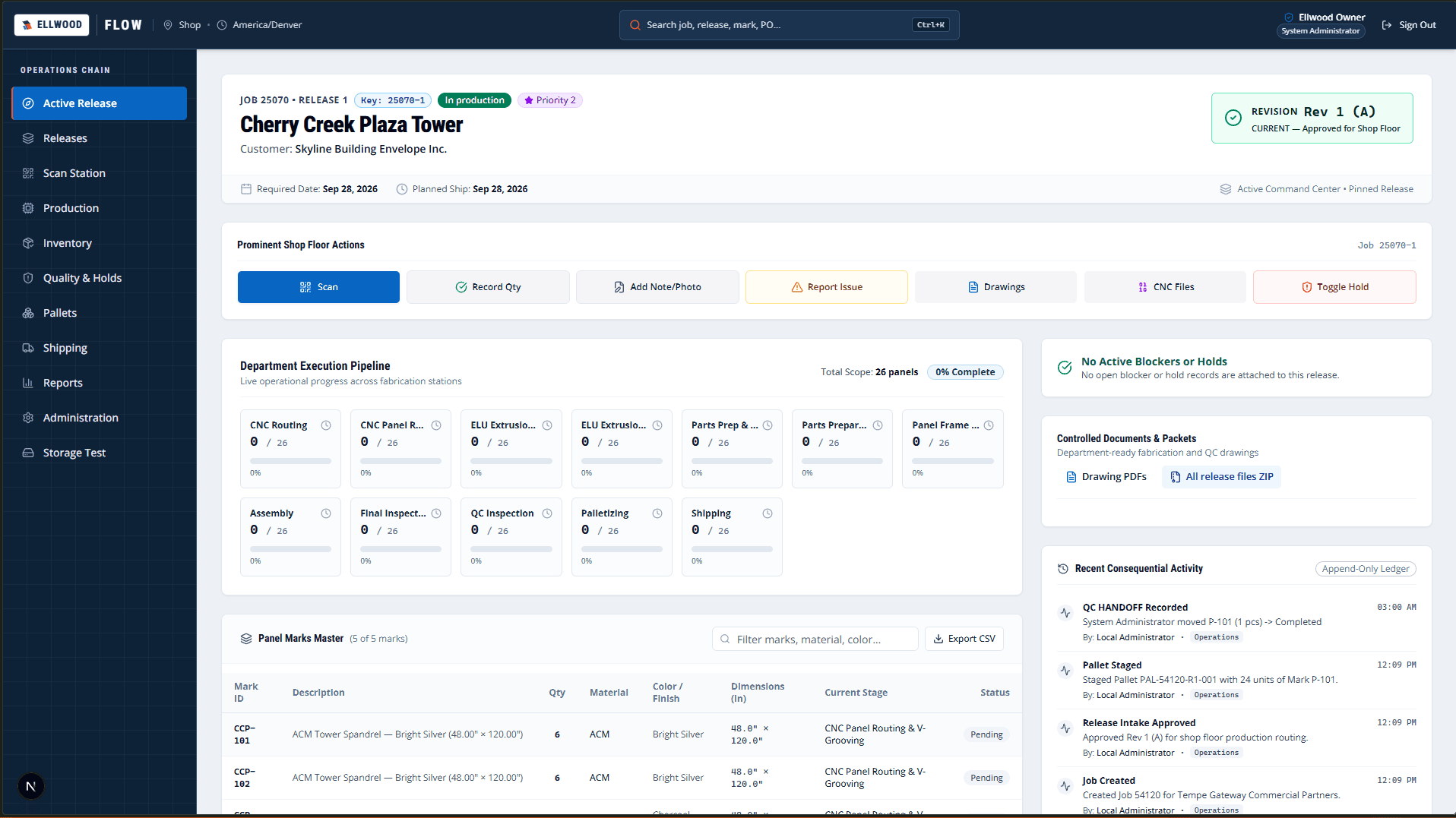
Ellwood Flow active release dashboard displaying order context, panel schedule, and drawing review status
Active release workspace. The active release view keeps release context, panel schedules, and controlled drawing reviews together in one operational surface.

The live Ellwood Flow active-release workspace showing header metadata, panel marks, drawing review, and revision controls.

Ellwood Flow active release dashboard displaying order context, panel schedule, and drawing review status
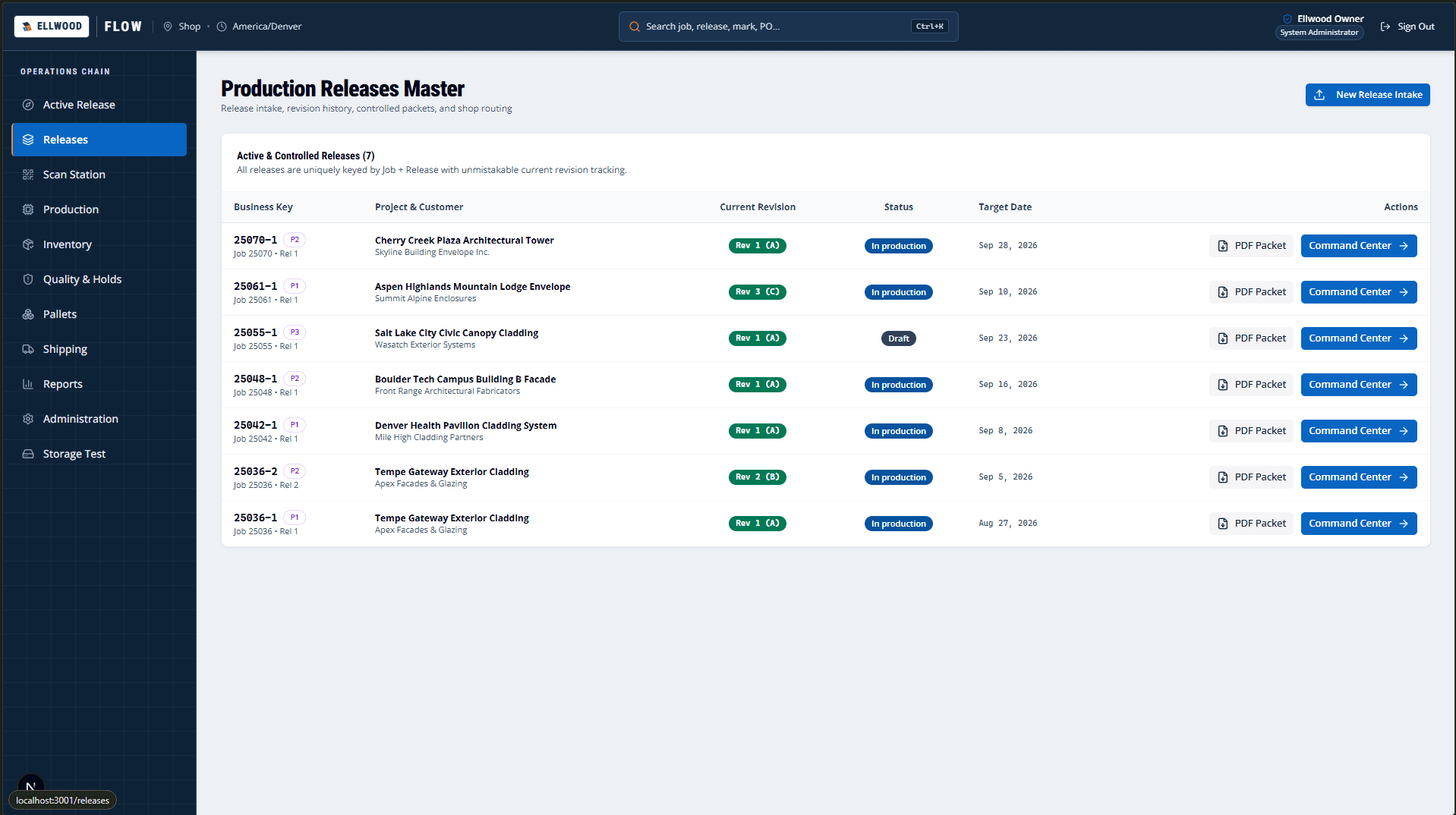
Ellwood Flow release management screen with search filters, job numbers, and release statuses
Release catalog and intake. Releases are tracked across their entire lifecycle with clear revision status and intake validation.

The live release catalog showing status filters, search, job associations, and revision tracking.

Ellwood Flow release management screen with search filters, job numbers, and release statuses
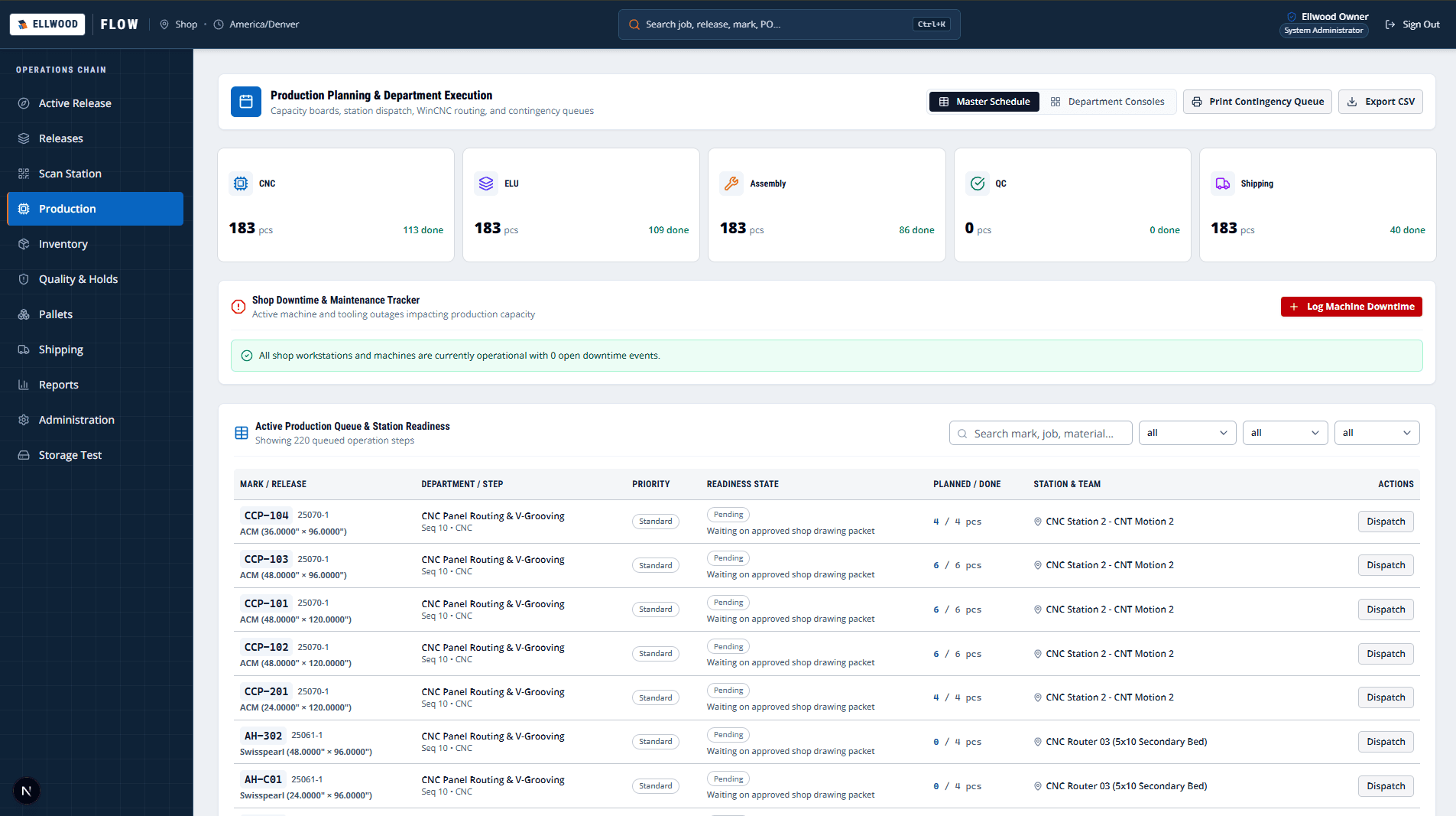
Ellwood Flow production dispatch interface with panel marks, routing steps, and station queues
Production dispatch queue. Station queues guide operators through allowed step transitions from cutting through fabrication.

The live production queue with step-by-step station routing, work orders, and panel completion status.

Ellwood Flow production dispatch interface with panel marks, routing steps, and station queues
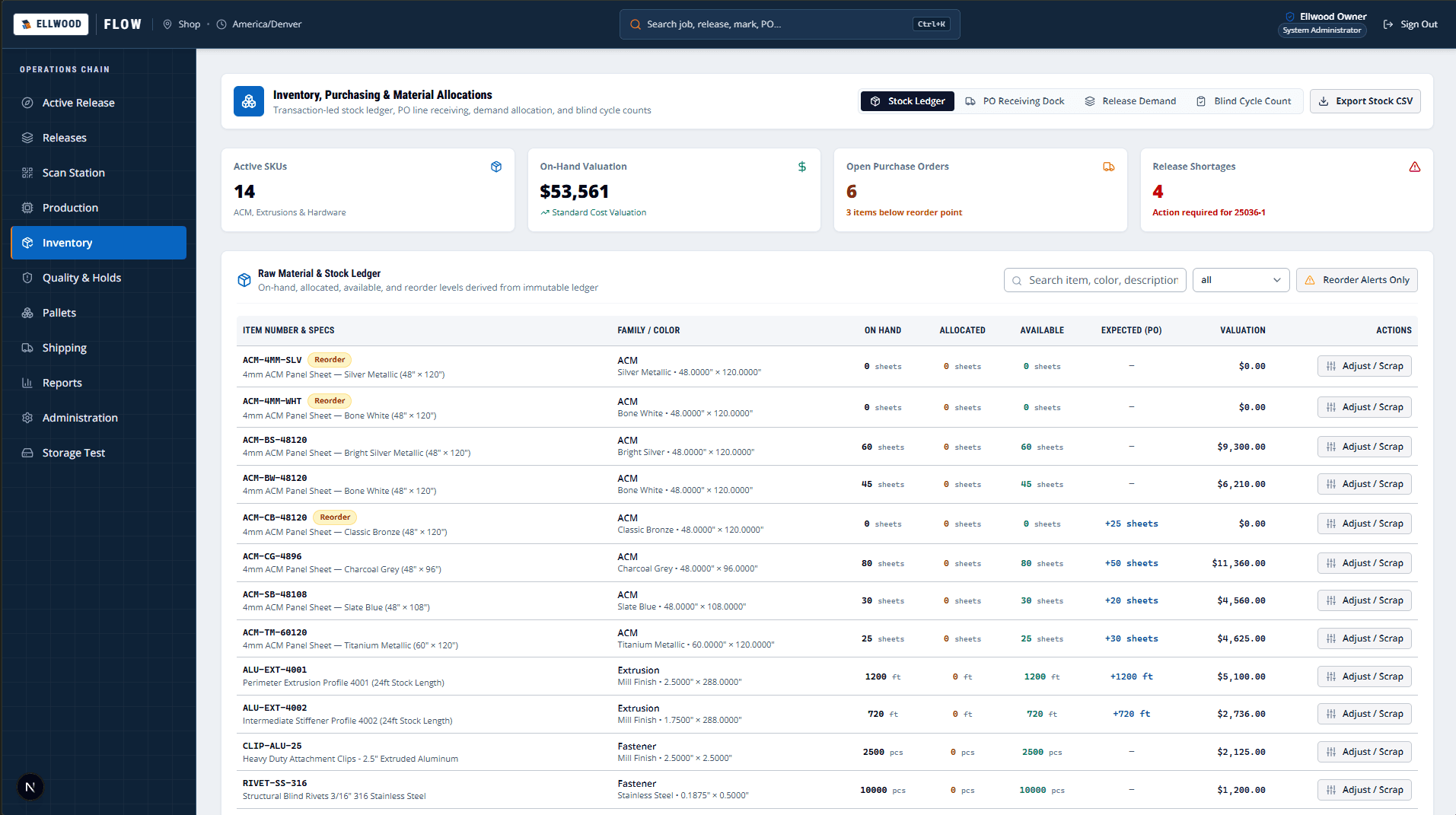
Ellwood Flow inventory management view detailing material stock levels, allocations, and sheet goods
Inventory visibility and allocation. Material allocations prevent stock contention by reserving sheet goods for active release jobs.

The live material inventory view distinguishing on-hand, committed, and allocated sheet goods.

Ellwood Flow inventory management view detailing material stock levels, allocations, and sheet goods
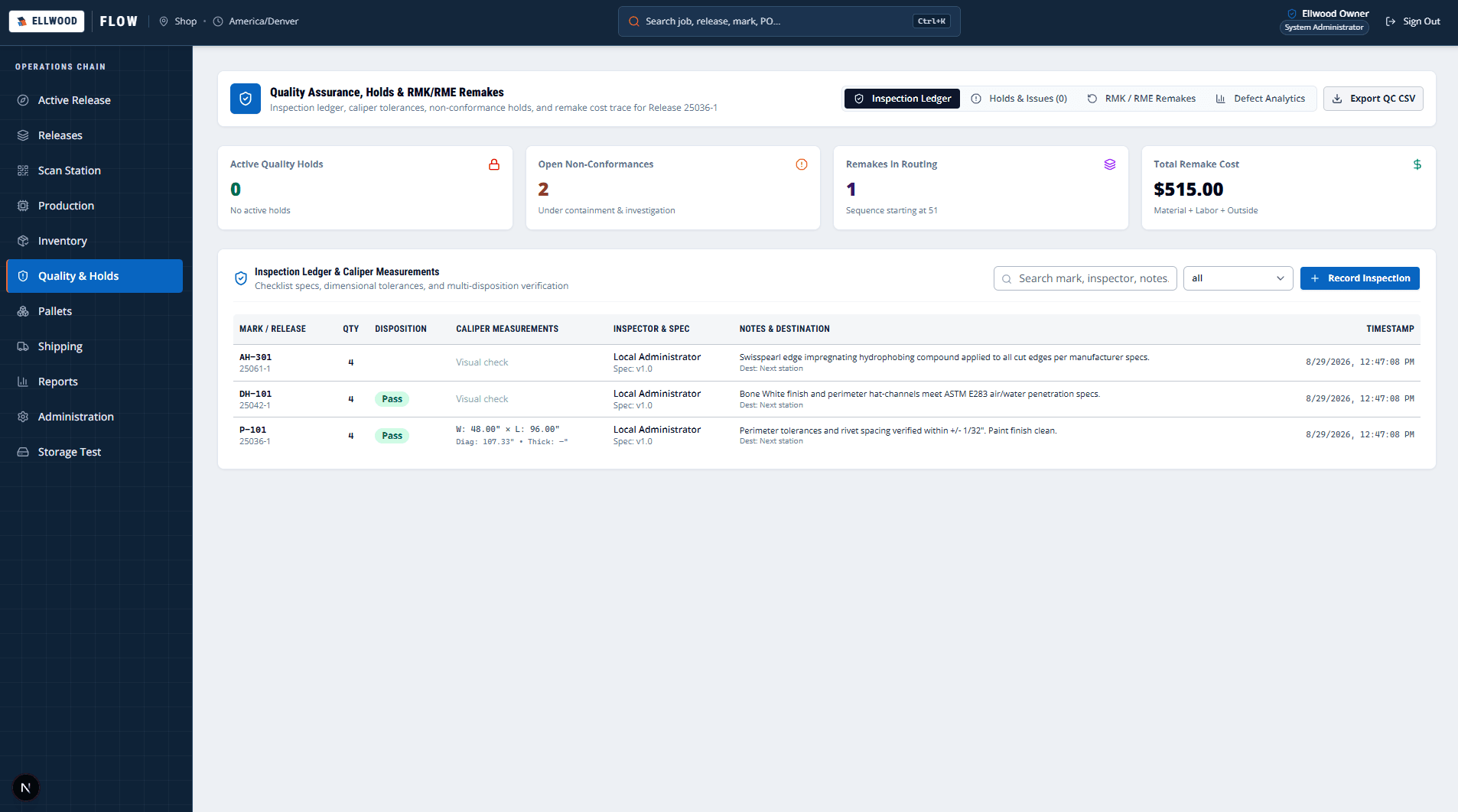
Ellwood Flow quality control dashboard with inspection results, pass rates, and rework tracking
Quality control and inspection. Quality inspections capture non-conformance reasons and generate compensating remake actions.

The live QC station recording pass, rework, remake, scrap decisions, and reason codes.

Ellwood Flow quality control dashboard with inspection results, pass rates, and rework tracking
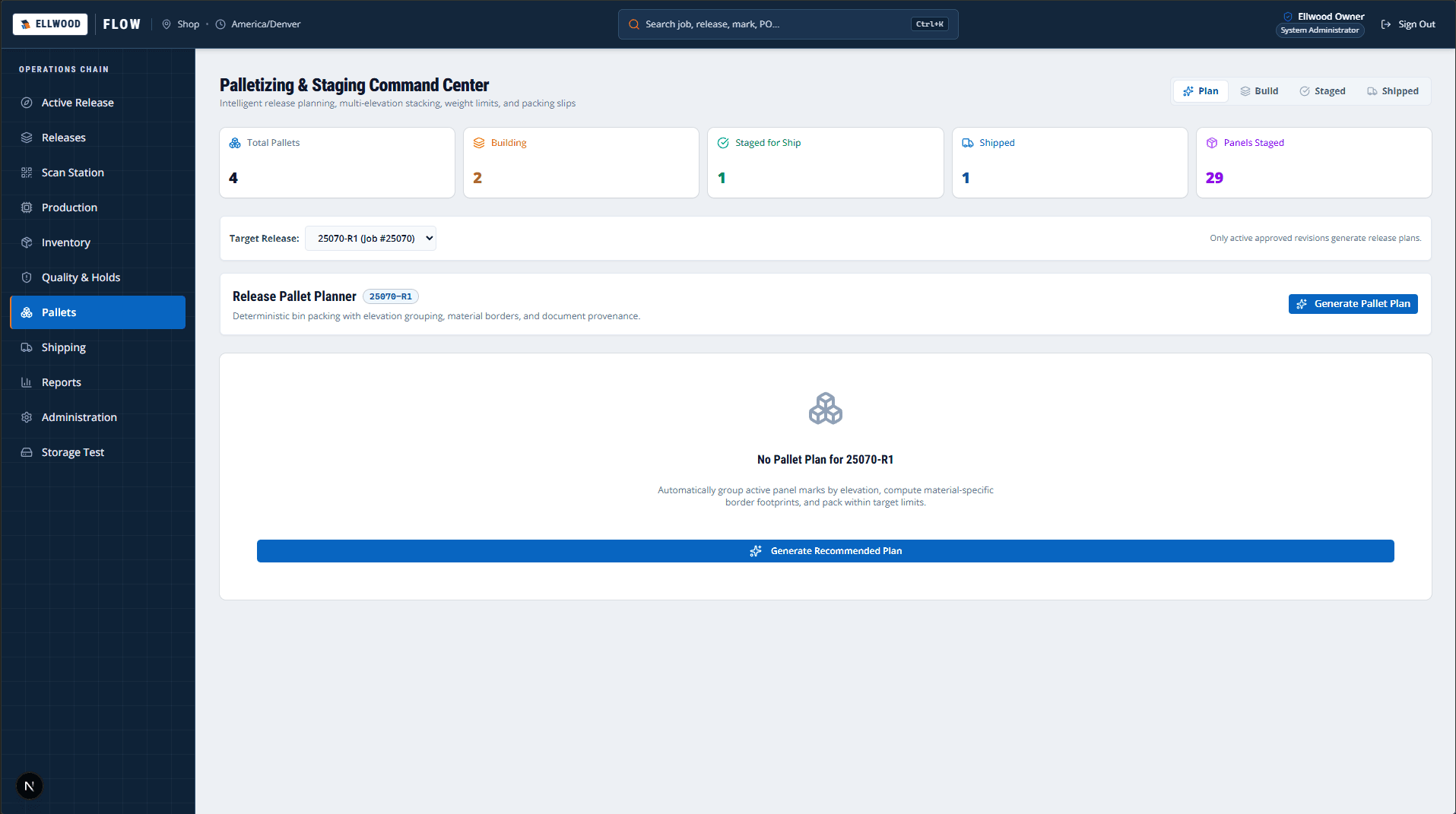
Ellwood Flow pallet planning view displaying panel grouping, weight calculations, and container limits
Palletization and containerization. Configurable pallet rules enforce elevation grouping, height limits, and weight tolerances.

The live pallet planner optimizing stacking rules, height restrictions, and weight constraints.

Ellwood Flow pallet planning view displaying panel grouping, weight calculations, and container limits
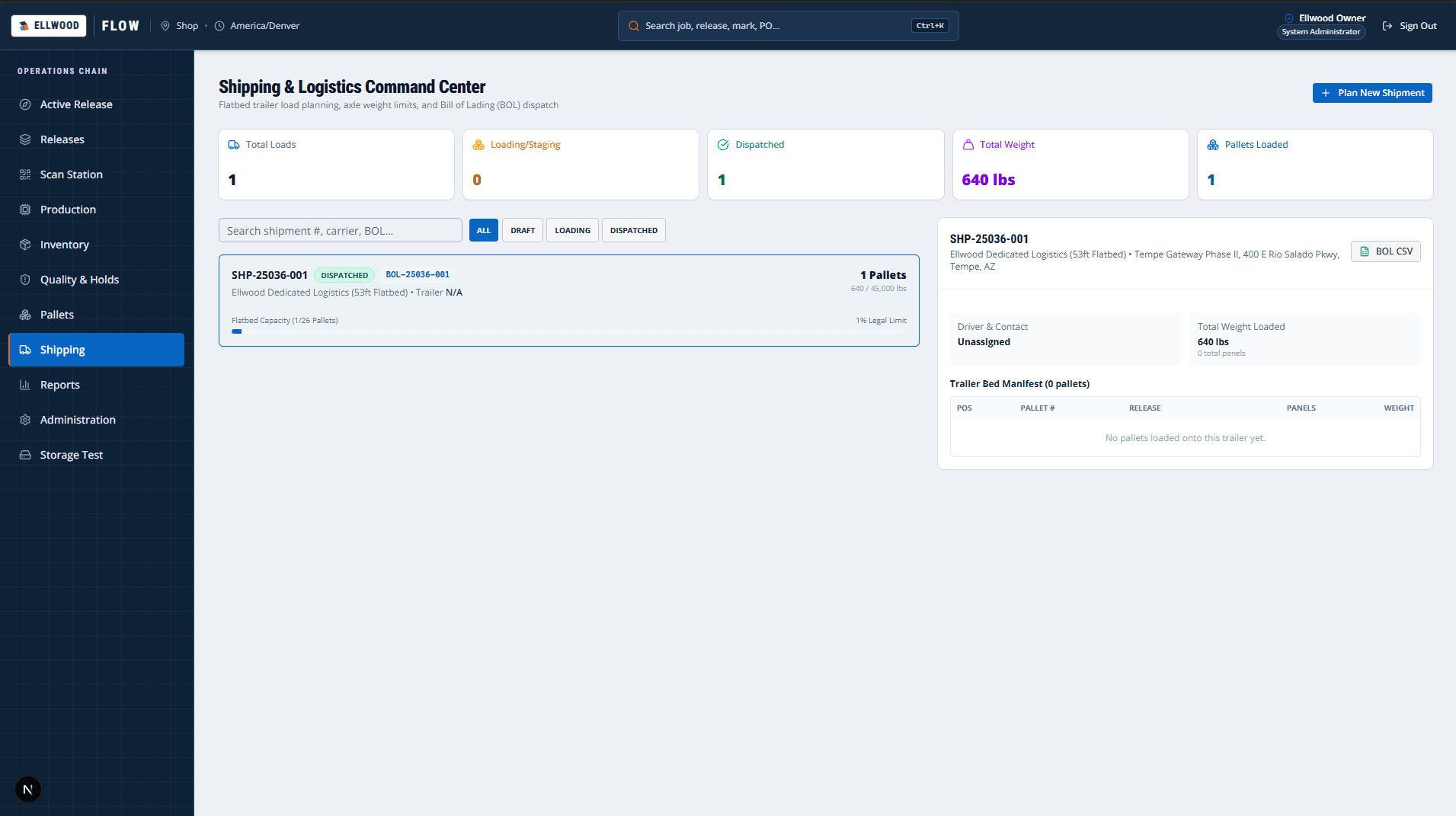
Ellwood Flow shipping dashboard with pallet staging, bill of lading generation, and carrier details
Shipping and logistics. Pallet staging ensures complete order verification prior to generating the bill of lading.

The live shipping staging surface managing bills of lading, pallet assignments, and carrier handoffs.

Ellwood Flow shipping dashboard with pallet staging, bill of lading generation, and carrier details
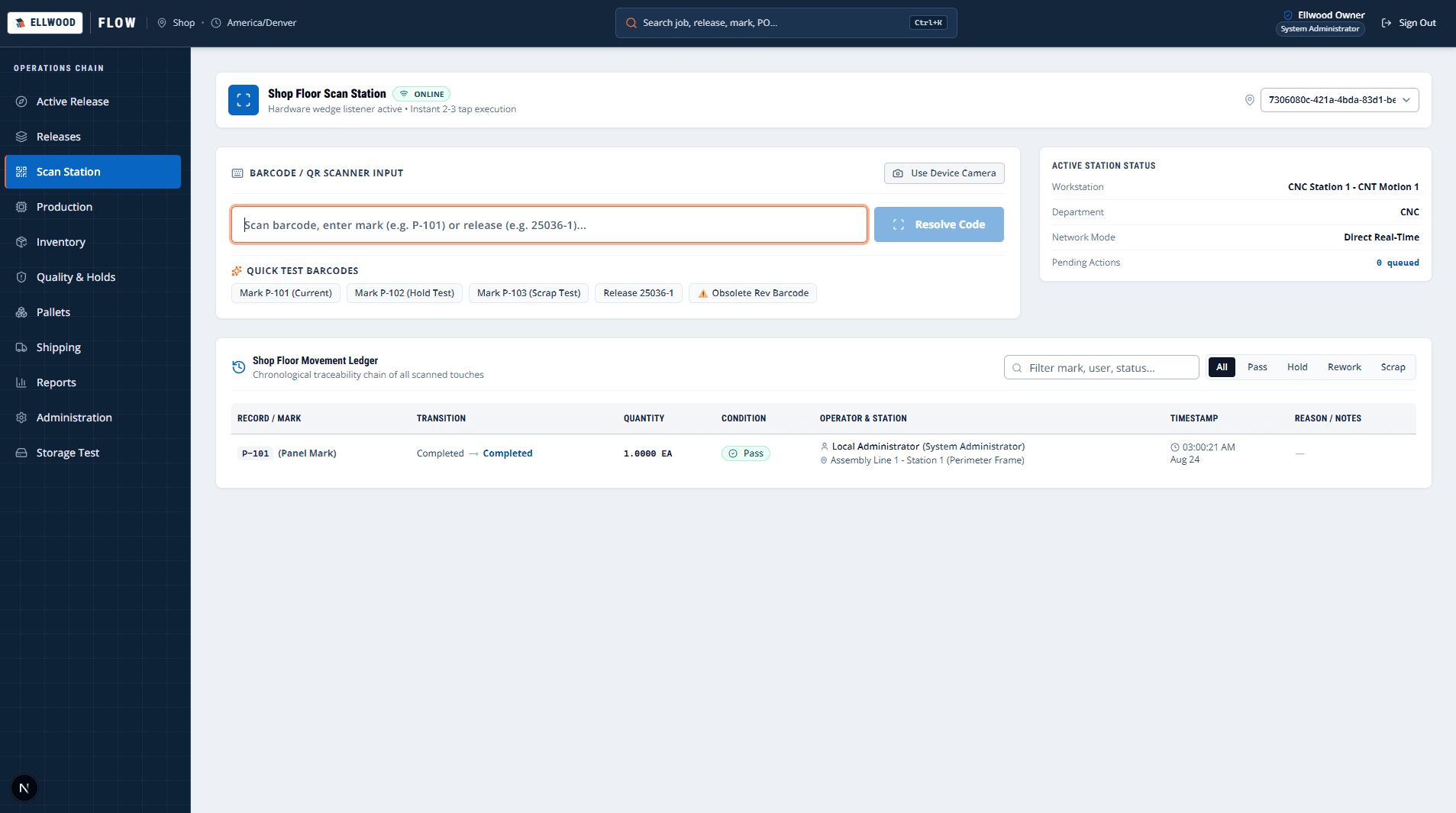
Ellwood Flow scan station interface with barcode input field and station action buttons
Shop-floor scan terminal. Barcode scanning enables rapid tap-and-scan shop actions while blocking superseded revisions.

The live scan station providing fast barcode scanning, station progression, and obsolete revision alerts.

Ellwood Flow scan station interface with barcode input field and station action buttons
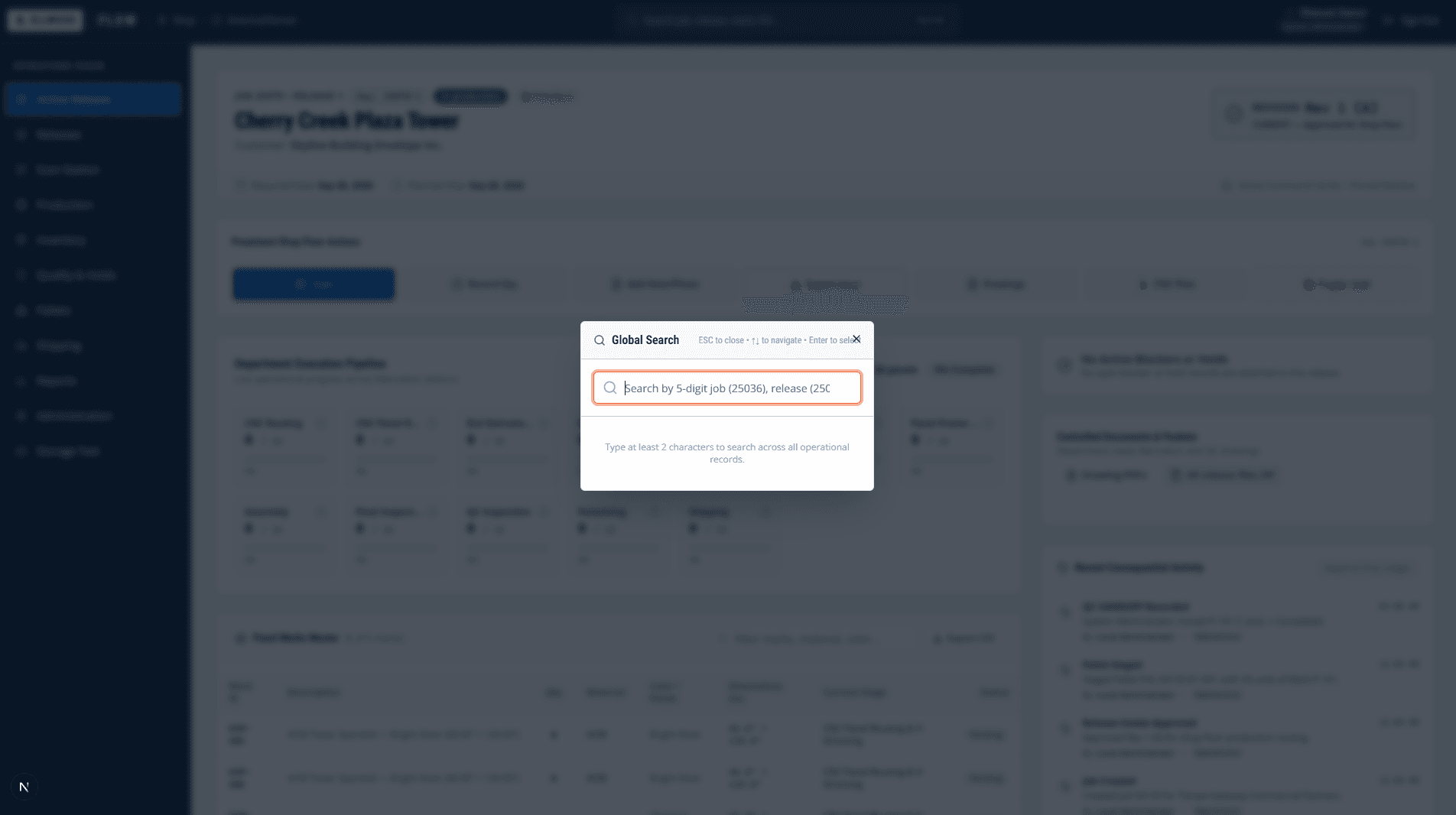
Ellwood Flow global search view with query input and structured search results
Traceability and search. Search provides instant lineage across jobs, releases, panel marks, and audit logs.

The live global lookup tool for tracing any job, release, panel mark, or barcode history.

Ellwood Flow global search view with query input and structured search results
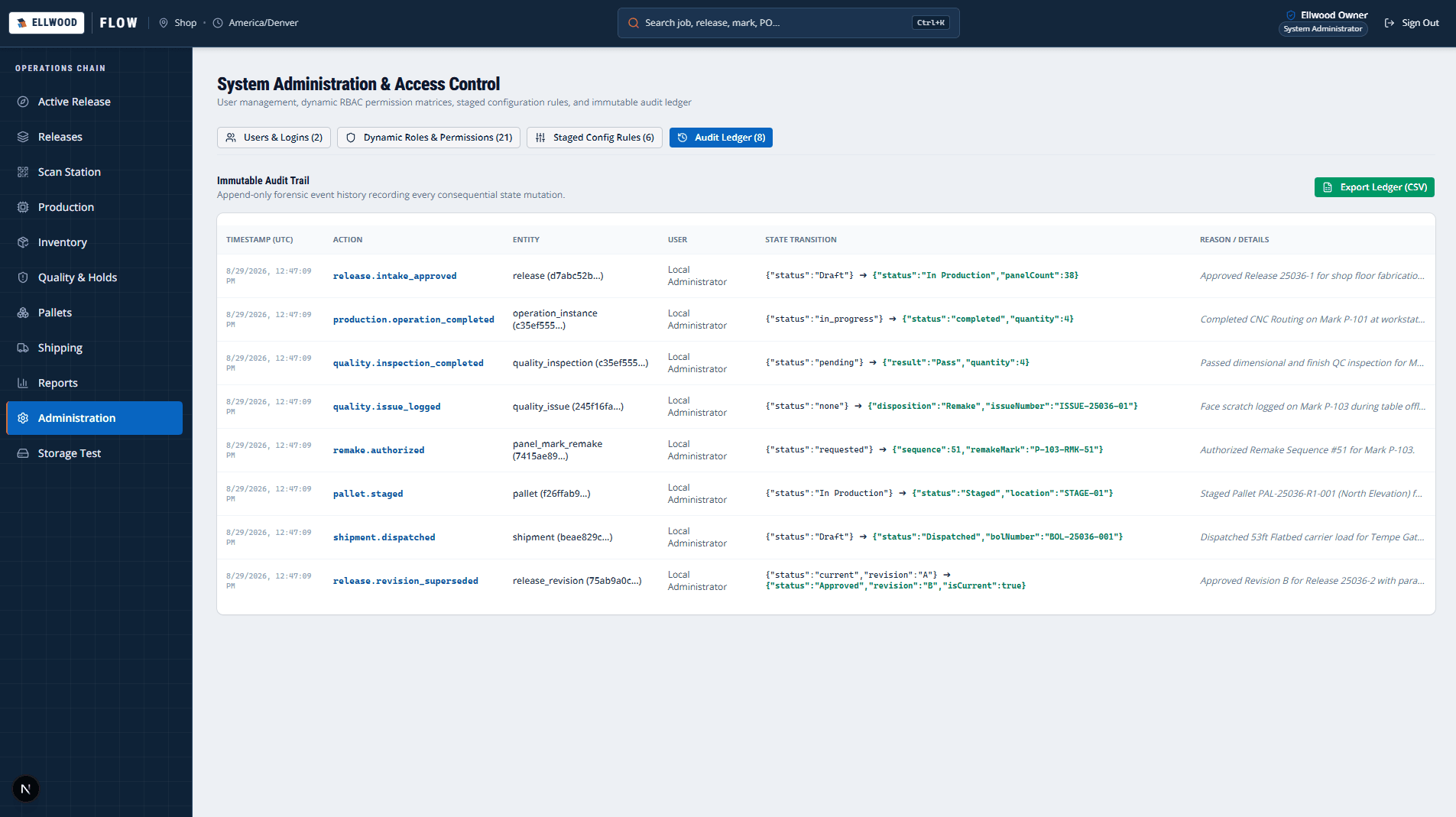
Ellwood Flow administration view showing user roles and system audit event logs
Administration and audit trail. Append-only audit events capture actor, timestamp, workstation, and prior/new state for every action.

The live administration dashboard with user roles, permissions, and immutable audit logs.

Ellwood Flow administration view showing user roles and system audit event logs
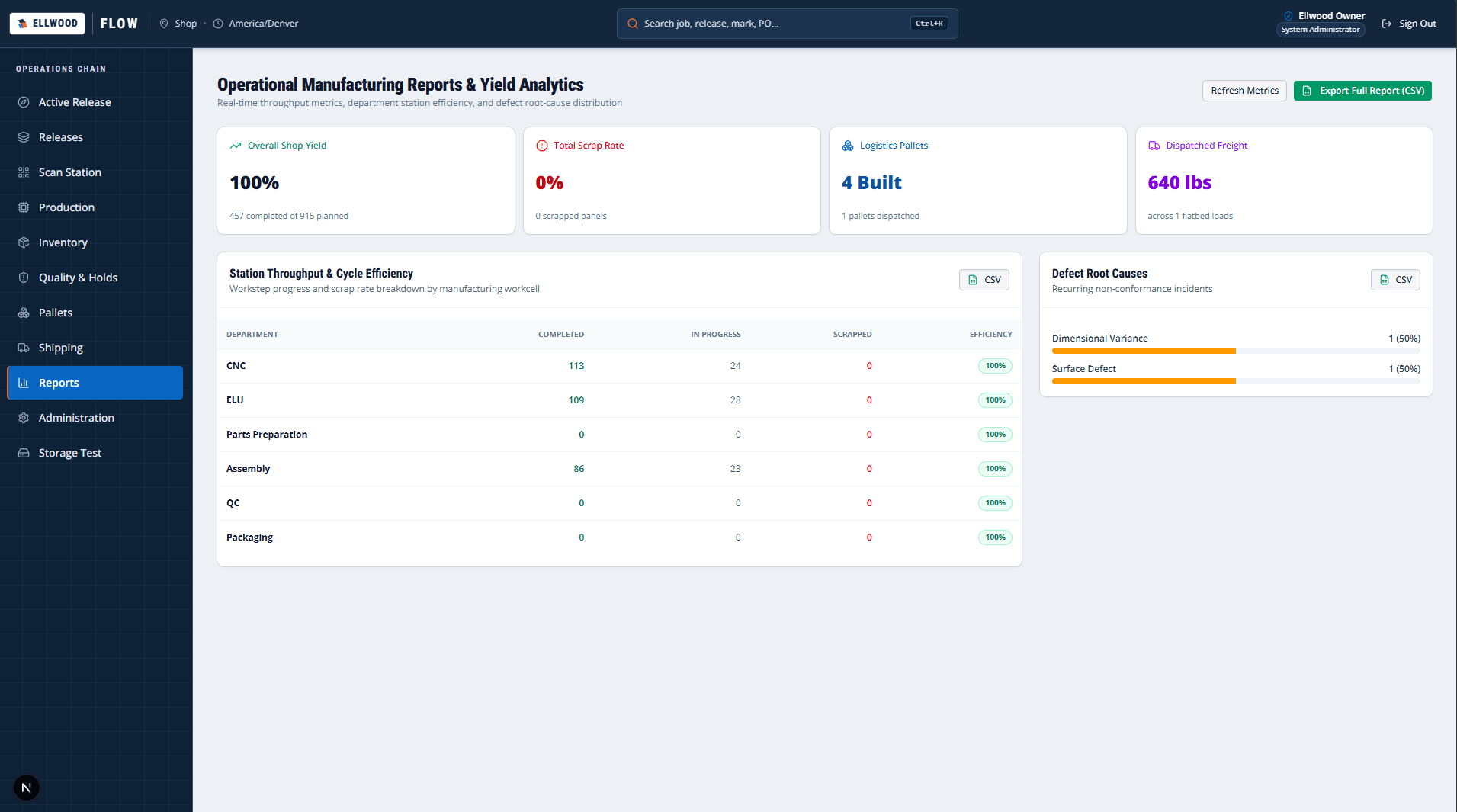
Ellwood Flow reports screen with production metrics and export options
Operational reports. Structured operational reporting highlights plant throughput and process bottlenecks.

The live operational reports view providing throughput, scrap rate, and release cycle time analytics.

Ellwood Flow reports screen with production metrics and export options
01

Operational problem

Release information can arrive through several channels while drawings, approvals, finish schedules, takeoffs, and production files change at different speeds. The shop needs a trustworthy answer to what is ready and what is still blocked.
02

Intended for

Manufacturers and fabrication teams that need office decisions, controlled documents, and production handoffs to remain attached to the same release.
03

Previous workflow

Reconstruct the release from email, shared folders, spreadsheets, PDFs, and verbal updates; compare revisions manually; then chase missing approvals or files before production can safely begin.
04

Solution

A production-minded release workspace that organizes intake, controlled documents, review decisions, drawing and CNC-source handling, and the actions required to move a release toward the shop floor.
05

Key capabilities

  • Structured release intake
  • Controlled drawing and document handling
  • Approval and review checkpoints
  • Production-file separation
  • Release readiness actions
  • Authenticated operational workspace
06

Technologies / working stack

Next.js App RouterTypeScriptBunDrizzle ORMPostgreSQLS3-compatible storage
07

Operational outcome

The deployed system gives release work one controlled operating path and makes unresolved document or review work visible before handoff. Current evidence confirms the working system and production deployment; quantified time, quality, or cost improvements have not yet been established.

08

Limitations and status

Ellwood Flow is an actively evolving operational system. Its current workflow reflects the release and document-control needs implemented so far, and broader customer validation, integrations, and measured business outcomes remain future work.

Relevant next step

Does one of these applications resemble your operation?

Start with one current process, the decisions it carries, and the handoffs or exceptions that create the most operating drag.

Discuss production release control
Previous projectACM WeeklyNext projectWORK//CTRL
© 2026 Yorkstead Systems

Industrial software and workflow automation

All selected workPrivacy